
Reviews
Kogama Platform Driving Quest stands out for its cooperative flag system, which turns a simple driving challenge into a team effort. The courses are well-designed with fair obstacles, and the bright visuals keep the experience lighthearted. Controls are responsive, and the lack of time pressure makes it accessible. Playing with others adds a social layer that enhances the fun. A solid choice for casual online gaming.
About this game
Track Design and Atmosphere
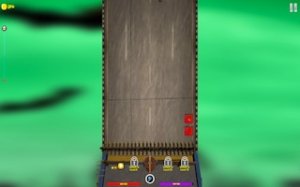
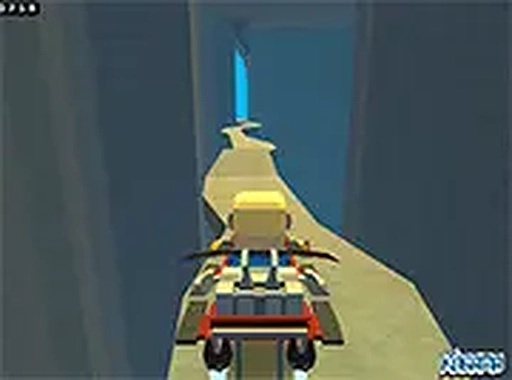
The game presents a series of elevated platforms that twist and turn through bright, blocky environments. Each course is built with a distinct layout, featuring sharp curves, narrow paths, and sudden drops. The visual style is cheerful and simple, with vibrant colors that make the tracks easy to read. This design keeps the focus on navigating the course rather than on complex graphics.
Vehicle Control and Handling
Players steer their vehicle using keyboard controls, with responsive handling that allows for precise movements. The vehicle moves along the platforms at a steady pace, requiring careful timing to avoid obstacles and stay on the track. The controls are straightforward, making it accessible for newcomers while still offering a challenge for those who want to master the course.
Cooperative Progress System
A unique feature is the flag system. Players can place flags on the track that act as checkpoints. If the vehicle falls off the platform, it respawns at the last flag collected. This encourages players to work together, placing flags in strategic spots to help each other progress through difficult sections. It adds a layer of teamwork to the driving experience.
Obstacle Navigation
Obstacles such as gaps and spikes are placed along the tracks, requiring players to time their movements carefully. The challenge comes from learning the layout of each course and figuring out the best way to avoid these hazards. The game rewards patience and observation, as rushing often leads to falls. The obstacles are designed to be fair, giving players a chance to learn from mistakes.
Multiplayer and Social Play
The game supports playing with others, allowing friends to join the same course. This social aspect makes the experience more engaging, as players can share tips, coordinate flag placement, and explore the map together. The multiplayer mode is integrated seamlessly, so joining a session is straightforward.
Accessibility and Presentation
The game is designed for desktop computers and includes a full-screen mode for a more immersive view. No downloads are required, as it runs directly in a web browser. The simple controls and clear visuals make it suitable for players of all ages. The cheerful atmosphere and cooperative mechanics create a welcoming environment for casual play.







Comments
Sign in to leave a review
No account? Create one
No comments yet.