
Reviews
Arena Navigator: Obstacle Course offers a refreshing take on driving games. The 3D arenas are well-designed, and the upgrade system adds depth without being overwhelming. Controls are responsive, making navigation feel smooth. The game is family-friendly and provides hours of entertainment as you work to improve your vehicle and conquer each course.
About this game
Game Introduction
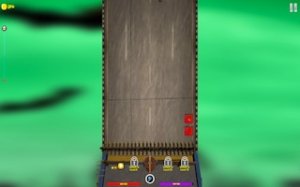
Arena Navigator: Obstacle Course is a 3D driving experience where players steer a vehicle through a series of challenging arenas. The main goal is to navigate each course while interacting with various objects placed in the environment. What sets this game apart is its focus on driving precision and vehicle customization within a dynamic 3D space. Players earn in-game currency by completing courses and can use those earnings to improve their car's performance. The game combines driving skill with strategic upgrades, creating an engaging loop of play, earn, and enhance. As players progress, they encounter increasingly complex obstacle layouts that require careful maneuvering and quick thinking. The 3D perspective provides a clear view of the arena, helping players plan their route through the course. This game is designed to be accessible for all ages, with simple controls and a focus on fun, non-violent driving action.
How to Play
Players control their vehicle using standard keyboard inputs, typically the arrow keys or WASD, to steer through the arena. The objective is to drive through each course, interacting with obstacles to clear them and advance through waves. Along the way, players can collect bonus items that appear in the arena to earn extra points. The game is easy to pick up—just drive and explore—but mastering the timing and positioning to navigate tight spaces and avoid getting stuck requires practice. As players earn credits from completing courses, they can visit the upgrade shop to improve their vehicle's capabilities. The controls are responsive, allowing for precise movements needed to weave through obstacle patterns.
Game Features
This game features a 3D arena environment with a focus on driving and navigation. Players can upgrade their vehicle with various tools, such as bumpers or reinforced panels, which affect how the car handles and interacts with obstacles. There is also a selection of new vehicles to purchase, with more advanced options offering better durability and performance. The game includes multiple waves of obstacles, and the upgrade system allows for experimentation with different setups. The experience is designed to be simple yet thrilling, with a strong emphasis on survival and high-score chasing. The 3D graphics provide an immersive view of the arena, making each course feel distinct and engaging.
Tips for Success
To extend your playtime in Arena Navigator: Obstacle Course, focus on learning the layout of each arena and the patterns of obstacles. Prioritize collecting bonus items for extra points, as they can help you clear courses faster. Experiment with different car upgrades to find a combination that suits your driving style—some setups may offer better handling, while others improve durability. Save credits for higher-tier vehicles, as they provide better stats that can make a significant difference in later waves. Practice your maneuvering to avoid getting trapped, and always keep moving to maximize your progress.













Comments
Sign in to leave a review
No account? Create one
No comments yet.