
Reviews
Pixel Realm: Blocky Defender offers a charming pixel art world with engaging missions. The crafting system adds depth, and the resource management keeps gameplay strategic. It's a safe, family-friendly action game that balances exploration and problem-solving. Perfect for mobile gaming sessions.
About this game
Game Introduction
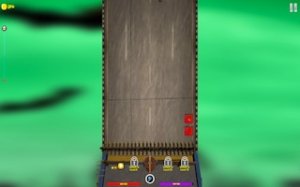
Pixel Realm: Blocky Defender is an action adventure game set in a vibrant, blocky world. Players take on the role of a hero tasked with protecting the realm from various threats. The core objective involves following a story that leads to building a time machine to prevent a looming crisis. Starting from a base area, you must retrieve essential equipment from storage to assist survivors at a hangar. Along the way, you will encounter many obstacles, collect valuable items like power-ups and coins, and upgrade your character to face tougher challenges. The game combines engaging missions with strategic planning, offering a unique mix of action and resource management. The pixel art style gives it a classic feel while the gameplay keeps you focused on making quick decisions and managing your resources effectively.
How to Play
Players control their character using simple keyboard inputs to move, aim, and interact with the environment. You can switch between different tools using number keys. Jumping and using aid kits are done with other keys. The game can be paused at any time. Explore the maps to find pixel-style tools or purchase them at a shop using coins you collect. Tools include items like knives, pistols, rifles, shotguns, machine blasters, flamethrowers, and mini blasters. You can also gather resources to craft tools and items instead of buying them. Gears are essential for activating special machinery, like a laser cannon in the first chapter. Collect gears to complete missions and defeat large enemies. Manage your health carefully, as running out forces you to restart missions. Search for aid kits to replenish health and upgrade your character to become stronger.
Game Features
Pixel-style action with crafting and upgrade systems. Overcome foes using a variety of tools and equipment. Collect resources to craft and upgrade your gear. Explore a blocky world with engaging missions and challenges. Manage health and aid kits to survive intense encounters. The game may include multiple chapters or areas to explore. Players can improve their character's abilities over time. The combination of exploration, resource gathering, and combat provides a balanced experience. The pixel art style appeals to fans of classic games while the gameplay offers modern depth.
Tips for Success
Practice your aim and movement to efficiently overcome obstacles. Collect as many resources as possible early on to craft better tools and gear. Always keep an eye on your health and use aid kits when needed. Explore every corner of the maps to find hidden items and gears. Upgrade your character regularly to keep up with stronger enemies. Plan your route through missions to avoid being overwhelmed. Learning the layout of each area helps you move quickly and find supplies.












Comments
Sign in to leave a review
No account? Create one
No comments yet.