
Reviews
Slime Studio: Creative Mixing offers a calm, engaging experience for players of all ages. The step-by-step recipes make it easy to create colorful slimes, while the bottle decoration station adds a personal touch. The game’s stress-free pace and simple controls make it ideal for family bonding or solo creative play. A delightful way to spend time.
About this game
Game Introduction
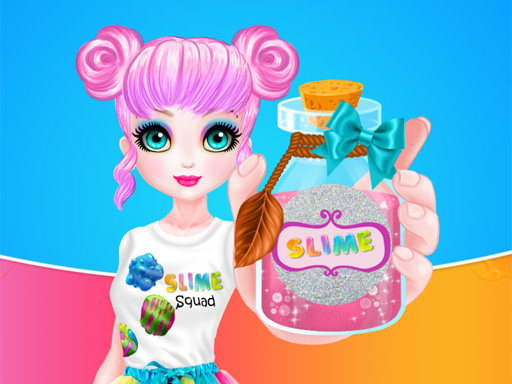
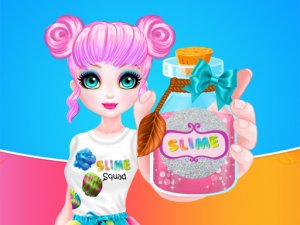
Slime Studio: Creative Mixing is a gentle crafting experience where players explore the art of making colorful slimes using everyday household items. The game invites participants to step into a cheerful workshop setting, where they can combine ingredients like liquid soap, shampoo, toothpaste, shaving foam, baking soda, glue, food coloring, and glitter to produce slimes with different textures and colors. The core objective is to learn how to prepare these slimes in a safe, guided environment that emphasizes creativity and experimentation. What makes this game special is its focus on the entire creative process, from mixing ingredients to designing a decorative bottle for each slime. Players can try various recipes to discover their favorite combinations, making each session unique. The game is designed to be relaxing and imaginative, encouraging players to experiment without any pressure or time constraints. It is an ideal activity for children and families who enjoy hands-on projects and artistic expression.
How to Play
Players begin by selecting from a set of slime recipes available in the workshop. Each recipe provides step-by-step guidance on combining ingredients in the correct order to achieve a desired texture and color. After mixing, players move to the packaging station, where they can design a bottle by choosing colors, patterns, and decorations. The goal is to create a slime that looks as appealing as it feels. The controls are simple, and the pace is relaxed, allowing players to enjoy each step without rushing. There are no scores or time limits, so everyone can focus on the joy of creating.
Game Features
The main features include multiple slime recipes that offer different mixing experiences, a bottle decoration station with various colors and patterns, and a calm, stress-free environment suitable for all ages. Players can experiment with ingredient amounts to create unique slimes, and the decoration options allow for personalization. The game encourages hands-on play and creativity, with clear instructions that make it accessible to beginners. The relaxing pace ensures that players can enjoy the process without feeling pressured.
Tips for Success
To get the most out of the workshop, try each recipe to see which textures and colors you enjoy most. Feel free to adjust ingredient amounts to create your own signature slimes. When decorating bottles, mix and match decorations to make each one special. Take your time and enjoy the creative process—there is no need to hurry. Sharing your finished slimes with friends or family can add to the fun.





Comments
Sign in to leave a review
No account? Create one
No comments yet.