
Reviews
Imaginative Scenario Designer offers a unique blend of creativity and strategy. The large object library allows for countless card combinations, and the dynamic animations make each simulation exciting. It is easy to learn but offers deep replayability. Perfect for families and puzzle enthusiasts.
About this game
Game Introduction
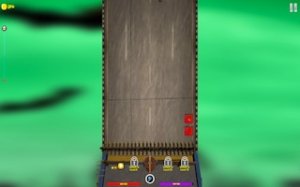
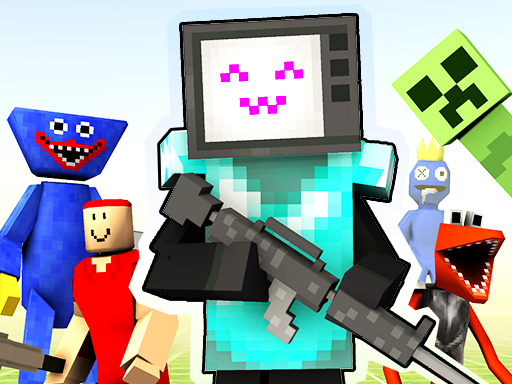
Imaginative Scenario Designer is a creative puzzle game where players build custom matchup scenarios. The core objective is to select from a large library of objects—including characters, vehicles, tools, and armor—to design a card for each side. Once both cards are ready, the game simulates the matchup, showing which combination wins. The game emphasizes creativity and experimentation, allowing players to invent countless scenarios rather than following a fixed story. Each new combination can lead to different results, encouraging replayability. Designed for players of all ages, it combines strategic thinking with imaginative play.
How to Play
Players start by choosing objects from a large library to create a custom card. Each card represents a contender in a matchup. After designing one card, players select another card—either a friend's creation or a pre-made option from the game. The simulation then runs, using the attributes of each object to determine the outcome. Players can experiment with different combinations to see varied results. The process is straightforward, focusing on the fun of designing and comparing creations.
Game Features
Key features include a large selection of objects for customization, allowing players to build unique cards. The game offers both custom card creation and ready-made cards for quick play. Objects include characters, vehicles, tools, and armor. Matchup simulations are accompanied by dynamic animations that bring the action to life. This combination of creativity and simulation offers endless possibilities for unique scenarios, making each play session different.
Tips for Success
Experiment with different object combinations to discover effective pairings. Pay attention to the attributes of each item, as they influence outcomes. Try both custom and ready-made cards to learn what works well. Practice regularly to understand how different elements interact. Do not be afraid to get creative, as unexpected combinations can lead to surprising results.








Comments
Sign in to leave a review
No account? Create one
No comments yet.