
Reviews
Artistic Makeover Studio succeeds in providing a calm, constructive outlet for children's creativity. The tracing mechanic is satisfying without being frustrating, and the color palette offers enough variety to encourage experimentation. The dress up portion adds a thoughtful layer, as kids learn to coordinate outfits with their face designs. The absence of timers or scores is a deliberate choice that reduces anxiety and promotes free play. Parents will appreciate the safe, ad-free environment. While the game does not offer deep complexity, it fulfills its purpose as a reliable, engaging activity for young minds.
About this game
Creative Process Overview
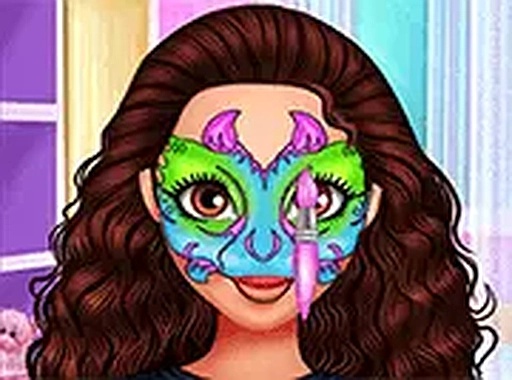
Artistic Makeover Studio places players in the role of a stylist for two friends who enjoy artistic expression. The experience begins with selecting a face art pattern from a collection of outlines. Using simple touch or mouse controls, players trace the lines carefully, which helps develop hand-eye coordination. After completing the outline, the next step involves filling in the design with a palette of colors. This phase allows for experimentation, as players can mix and match shades to create unique results. The absence of timers or scoring systems means there is no pressure, letting children focus on the creative journey at their own pace.
Outfit Coordination and Style Matching
Once the face art is finished, the activity shifts to wardrobe selection. Players browse through a variety of clothing items, accessories, and hairstyles to complement the newly created face designs. The goal is to find combinations that visually harmonize with the colors and patterns on the face. This section encourages attention to detail and an understanding of how different elements can work together. The interface remains intuitive, with large icons and simple navigation suitable for young users. Full screen mode enhances visibility, making it easier to see the finer details of each outfit choice.
Skill Development Through Play
This game naturally supports several developmental areas for children. The tracing activity builds fine motor skills and precision, while the color selection process introduces basic color theory concepts like matching and contrast. The dress up component promotes decision-making and personal expression. Because there are no right or wrong answers, children gain confidence in their choices. Parents can feel comfortable letting their kids explore independently, as the content contains no advertisements or external links. The entire experience remains focused on creativity and positive self-expression.
Technical Accessibility and Platform
Artistic Makeover Studio runs directly in web browsers on both desktop computers and mobile devices. No installation or account creation is required to start playing. The controls adapt to the input method, supporting mouse clicks on computers and finger taps on touchscreens. This cross-platform compatibility means children can enjoy the activity at home or on the go. The game loads quickly and maintains a stable performance across different browsers. Full screen mode is available for a more immersive experience, helping young players concentrate on the details without distractions.











Comments
Sign in to leave a review
No account? Create one
No comments yet.