Astro Style Princess Makeover
Reviews
Astro Style Princess Makeover offers a unique twist on dress-up games by incorporating zodiac themes. The interface is simple and intuitive, making it accessible for younger players. The variety of outfits and accessories allows for endless creativity. It's a relaxing, no-pressure experience that encourages artistic expression. Highly recommended for anyone who enjoys fashion or astrology.
About This Game
Game Introduction
Astro Style Princess Makeover is a free online dress-up game that combines creative outfit design with the themes of astrology. Players can choose from several princess characters, each one representing a different zodiac sign. The goal is to assemble a complete look that matches the princess's personality and prepares her for a special evening event. This game is perfect for anyone who enjoys artistic styling and learning about zodiac characteristics in a playful way. It is family-friendly, easy to navigate, and works on any device without requiring downloads. The blend of fashion and astrology offers a fresh twist on traditional dress-up games, encouraging players to explore color palettes and styles associated with each zodiac sign.
How to Play
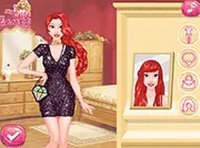
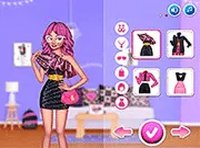
To start, select a princess and her associated zodiac sign from the main menu. Using a mouse or touchscreen, browse through available outfits, accessories, hairstyles, and backgrounds. Each zodiac sign suggests certain color palettes and styles, but players are free to mix and match items as they like. After completing the look, the princess can be viewed in full screen. The interface is simple and intuitive, making it accessible for players of all ages. There are no timers or scores, so everyone can take their time creating the perfect ensemble.
Game Features
The game includes multiple princesses, each linked to a different zodiac sign, offering unique styling options. The user interface is straightforward and suitable for all age groups. No downloads or installations are required, and the game runs smoothly on any device with a web browser. The integration of astrology with fashion provides a creative twist on classic dress-up games. Players can experiment with colors and styles to learn more about zodiac traits in a fun, interactive way.
Tips for Success
To create the most fitting look, consider the typical traits of each zodiac sign—for example, bold colors for Aries or elegant neutrals for Capricorn. Feel free to mix and match different items to express personal style. Take time exploring all available options, as there is no time limit. Experiment with various combinations to discover what works best. Most importantly, enjoy the process and let creativity guide you.




Comments
0 comments